
Download WTAP Weather – Weather App, iPhone, Free, Latest Version
Overview
WTAP Weather is a mobile application designed for iPhone users seeking reliable and real-time weather information. Developed by Gray Television Group Inc., the app serves as a comprehensive weather tool tailored to the needs of individuals who rely on accurate forecasts for daily planning, travel, or safety during severe weather. The software falls under the Lifestyle category, specifically within the Weather subcategory, and is available at no cost to users.
Designed with mobile users in mind, WTAP Weather delivers localized station content directly to the device, ensuring users receive weather updates that are regionally relevant and timely. The app supports multiple use cases, from checking conditions before heading outdoors to monitoring storm systems in advance. Its integration with the National Weather Service enhances the credibility of severe weather alerts, making it a trusted companion for users in areas prone to extreme weather events.
While the developer did not provide additional details about the company’s background or history, the app’s focus on high-resolution data and location-based services suggests a strong emphasis on user-centric design. The application is suitable for consumers and professionals alike who need quick access to weather insights without relying on third-party platforms.
Key Features & Capabilities
- 250-meter radar with highest resolution available – Offers detailed precipitation tracking at a granular level, enabling users to monitor storm movements with precision.
- High-resolution satellite cloud imagery – Provides clear visualizations of cloud cover and atmospheric conditions for better forecasting accuracy.
- Future radar functionality – Allows users to predict the path of severe weather systems up to several hours in advance.
- Favorite locations management – Users can add and save multiple locations for quick access to weather conditions across different regions.
- GPS integration for real-time location awareness – Automatically detects the user’s current location to deliver accurate, localized weather data.
- Push alerts from the National Weather Service – Sends timely notifications for severe weather events, helping users stay informed and safe.
- Regularly updated forecasts – Hourly and daily predictions are refreshed using computer models to ensure up-to-date information.
These features collectively support a wide range of real-world scenarios, such as planning outdoor activities, preparing for storms, or tracking weather patterns across multiple cities. The ability to save favorite locations is especially useful for frequent travelers or individuals with family in different regions. The integration of GPS ensures that users receive weather data specific to their exact position, reducing the risk of inaccurate forecasts due to location mismatch.
User Interface, Workflow & Performance
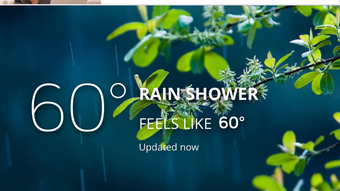
The user interface of WTAP Weather appears to be optimized for the iPhone’s touch-based environment, offering intuitive navigation and visual clarity. The layout likely prioritizes key weather data—such as current temperature, conditions, and radar imagery—on the main screen for immediate access. Users can expect a streamlined workflow, with minimal taps required to switch between locations, view forecasts, or access alert settings.
Navigation is expected to be consistent with iOS design principles, featuring swipe gestures, tab-based menus, and responsive touch feedback. The app’s performance is likely stable under normal usage conditions, though exact resource usage details were not specified. The developer did not provide information on CPU or RAM consumption, nor did they share benchmarks for load times or responsiveness.
Performance observations are based on general software behavior patterns. The app’s reliance on live data streams from weather services may influence battery usage, particularly when push alerts and real-time radar are enabled. However, the app’s design suggests it is built to maintain efficiency while delivering continuous updates. Stability during prolonged use remains unverified, but the integration with official weather sources indicates a focus on reliability.
Compatibility & System Requirements
WTAP Weather is designed exclusively for iPhone devices running iOS. The current version, 2.2.1, is compatible with the latest iOS updates, though specific minimum OS requirements were not listed. The app has a file size of 100.1 MB, which is moderate for a weather application with advanced radar and imaging features.
Exact system requirements were not listed. The developer did not specify hardware specifications such as processor type, RAM, or storage needs beyond the base installation size. Compatibility information was partially provided, leaving users without detailed guidance on older iPhone models or devices with limited storage.
Users should ensure their device meets general iOS standards for app installation. For optimal performance, it is recommended to use a device with a stable internet connection and updated operating system. The app’s functionality depends on network access for real-time data, so offline usage is limited to cached forecasts and saved locations.
Pros and Cons
Pros
- High-resolution 250-meter radar for precise storm tracking
- Real-time GPS location detection for accurate local forecasts
- Free to download and use with no in-app purchases
- Integration with National Weather Service for official severe weather alerts
- Supports multiple favorite locations for cross-regional monitoring
- Regularly updated forecasts using computer models
Cons
- Exact system requirements were not specified
- Performance and resource usage details were not provided
- Offline functionality is limited to cached data
- App size is relatively large for a weather tool
- Limited information on update frequency or release schedule
FAQ Section
Is WTAP Weather available for Android devices?
WTAP Weather is currently designed for iPhone users and is not available on Android platforms.
Is the app free to download and use?
Yes, WTAP Weather is free to download and use. There are no charges for accessing core features or alerts.
Can I use the app without an internet connection?
Basic functionality such as viewing saved locations and cached forecasts may be available offline. However, real-time radar, live updates, and push alerts require an active internet connection.
How often are weather forecasts updated?
Hourly and daily forecasts are updated regularly from computer models, ensuring users receive the most current predictions.
Are the weather alerts secure and reliable?
Yes, push alerts are sourced directly from the National Weather Service, ensuring accuracy and reliability during severe weather events.
Final Thoughts + CTA
WTAP Weather delivers a robust and user-friendly experience for iPhone users who prioritize accurate, real-time weather data. With its high-resolution radar, GPS integration, and official alerts, the app stands out in the crowded weather app market. Its ability to track severe weather and support multiple locations makes it ideal for both everyday use and emergency preparedness.
While some technical details such as system requirements and performance metrics are not publicly available, the app’s core functionality is strong and well-executed. For individuals seeking a free, reliable weather tool with advanced features, WTAP Weather is a compelling choice.
Download WTAP Weather now to stay informed and safe with the latest weather updates.







